
Free graduation party timeline & photo hunt
Plan the full party — setup through cleanup — plus a graduation-themed photo scavenger hunt for guests. Choose backyard, open house, or venue format. Download as PDF for your planner or family group chat.
No email. No account. Free, always.
Your timeline
Color presets (30)
Live preview
How to use the graduation party timeline
1. Pick your format
Backyard casual, open house (come-and-go), formal venue, or pool party. Each template has a different flow and timing.
2. Customize the schedule
Adjust start time, add or remove events, and set the party duration. The timeline adapts to your setup — from a 2-hour open house to a 6-hour backyard bash.
3. Download & share
Get a PDF with the full timeline and photo hunt prompts. Share with co-planners, print for the fridge, or send to the family group chat so everyone knows the plan.
Graduation party planning templates by format
Different formats need different timelines. Each template includes specific timing, setup tasks, and photo moments for that style:
- Backyard casual — the classic grad party. Setup at 10am, guests arrive at 2pm, food and games for 4 hours, cleanup by 7pm. Yard games, BBQ, photo display table, and a QR code on the food station.
- Open house — Midwest standard. 3-4 hour window, guests come and go. Self-serve food, rolling activities, no set schedule. The QR code stays on the welcome table the entire time — first guest and last guest both upload.
- Formal venue — restaurant, event hall, or community center. Tighter schedule: arrive, mingle, speeches, food, dessert, farewell. More structured photo moments (entrance, group shot, cake cutting).
- Pool party — summer celebration. Morning setup (pool toys, food, shade), afternoon party, waterproof phone considerations, designated dry photo area with QR sign.
Graduation photo scavenger hunt prompts
The photo hunt turns guests into photographers. Instead of one person frantically trying to capture everything, every guest gets a list of prompts and competes to take the best shot. Examples:
- Cap & gown selfie — the graduate's official party photo
- Three generations together — grandparents + parents + graduate in one frame
- Best friends since freshman year — the friend group that survived four years
- The whole crew — everyone at the party in one massive group shot
- Funniest candid of the day — caught someone mid-bite, mid-laugh, mid-fall
- The cake before anyone cuts it — document the dessert table in its prime
- Opening the most meaningful card — the reaction, not the card
- Someone sneaking seconds — they didn't think anyone was watching
- The decoration detail — that photo display table or balloon arch that took 2 hours
- The goodbye hug — the last guests leaving, emotions running high
Every photo hunt entry uploads to the QR guest gallery automatically if you pair this with a Grad Moments gallery. Without the gallery, guests share the prompts for fun and keep the photos on their phones.
Graduation party planning tips
- Start planning 6-8 weeks out. The venue, guest list, and food need lead time. The photos and decorations can wait until the last 2 weeks.
- Delegate. You're the parent, not the event planner. Assign food to one person, decorations to another, photos to the QR code. Nobody does it alone.
- Budget the photo booth line item as $49. Most parents budget $300-500 for a booth rental without questioning it. A QR guest gallery costs $49 and captures 10x more photos.
- Set up the photo display early. The kindergarten-to-senior-year photo table takes longer than you think. Do it the night before if possible.
- Print the QR code on the invitation. Guests arrive already knowing the gallery exists. No awkward announcements. No explanation needed at the party.
- Plan for weather. Backyard parties need a rain plan. A tent, a covered patio, or an indoor backup. The QR code works in all of them.
How will you collect photos from all your guests?
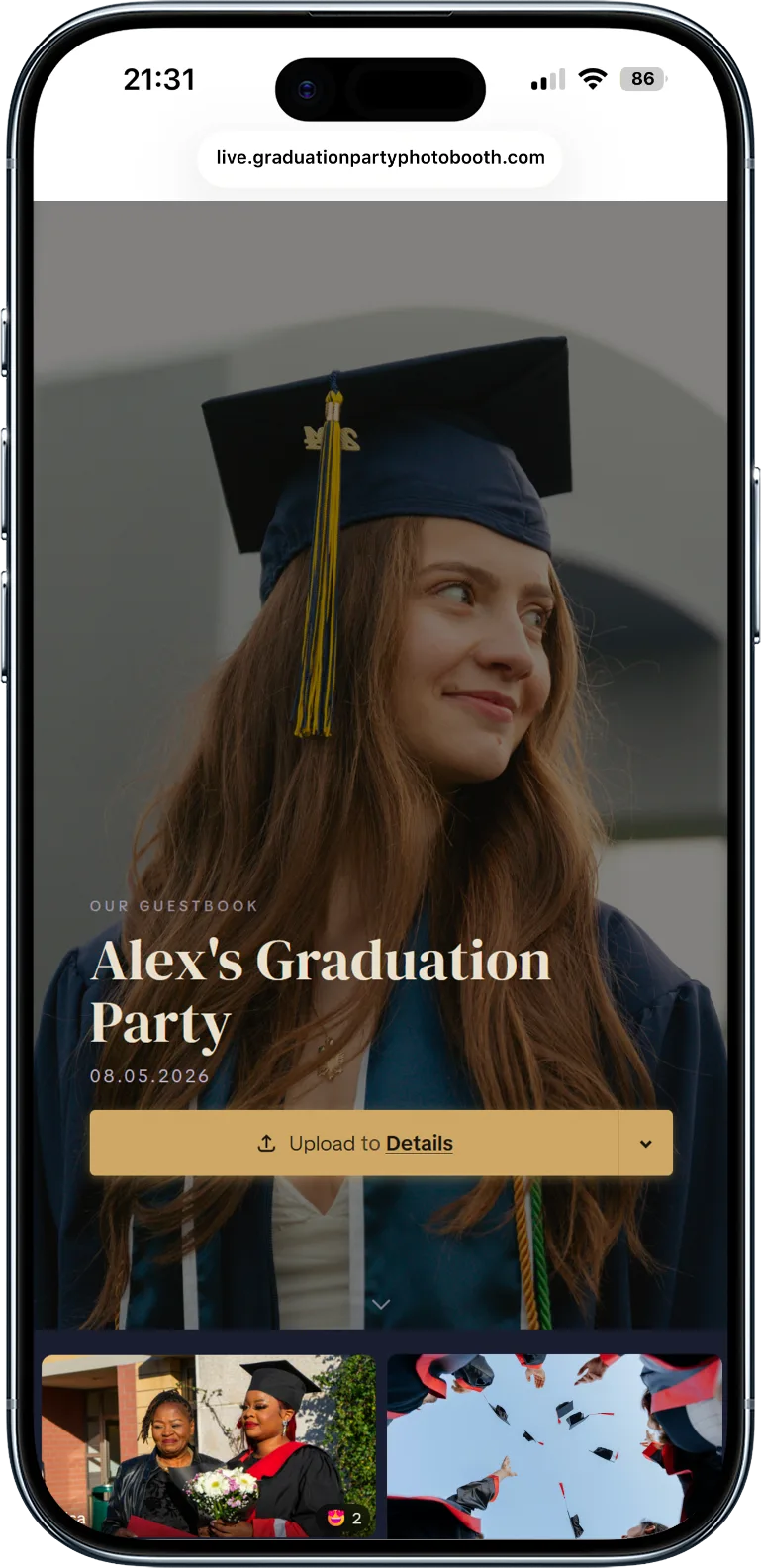
Grad Moments gives guests one QR code to upload from any phone. You get every candid, not just what lands on Instagram.
Guests scan a QR code from any table — no app, no login, no friction. Everything lands in one gallery you control.
Inside is everything: photos, videos, text/video/audio guestbook, custom folders, photo hunt game, privacy controls, printable album PDF, co-organizers, slideshow, private gallery, and moderation.
- Unlimited guest uploads (photos, videos, audio)
- No app required — works on any phone browser
- Privacy controls (public or private uploads)
- 18 printable QR code templates
- Scavenger hunt photo challenges
- Print-ready album PDF (6 formats, US and EU sizes)
- Download everything as ZIP
- Moderation tools (approve or remove uploads)
- 6 months of hosting, then download & keep forever
One QR code. One-time $49. No subscription, no upsells — absolutely everything is included.